Project operations + client portal

Run the studio. Share the right view.

One live project connects rooms, sourcing, suppliers, renderings, documents, and a client-safe review space.

Free account1 active project
No cardStart immediately
Design studiosInterior + architecture workflows
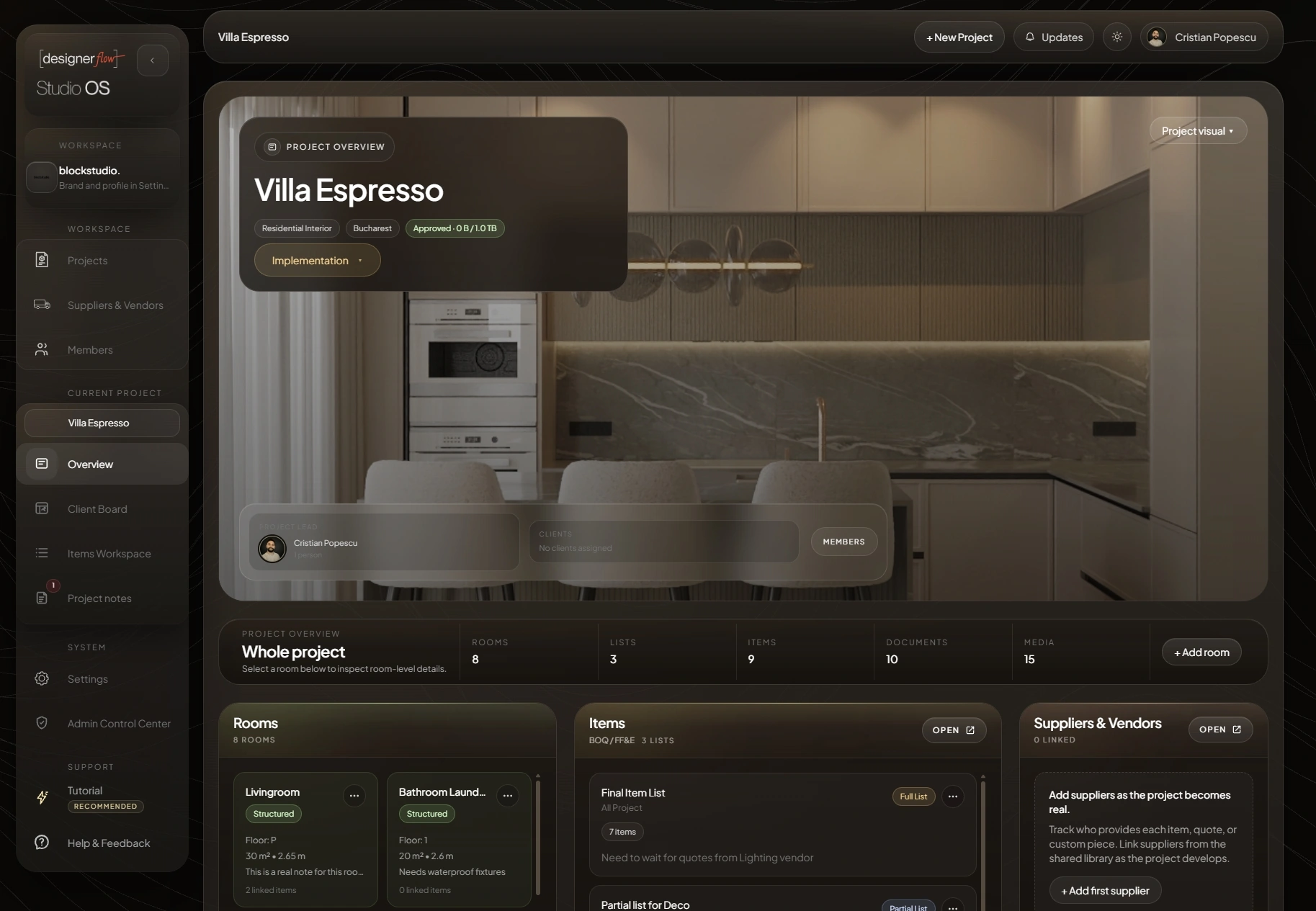
Current DesignerFlow Studio Project Overview with project visual, identity, members, rooms, lists, documents, and media
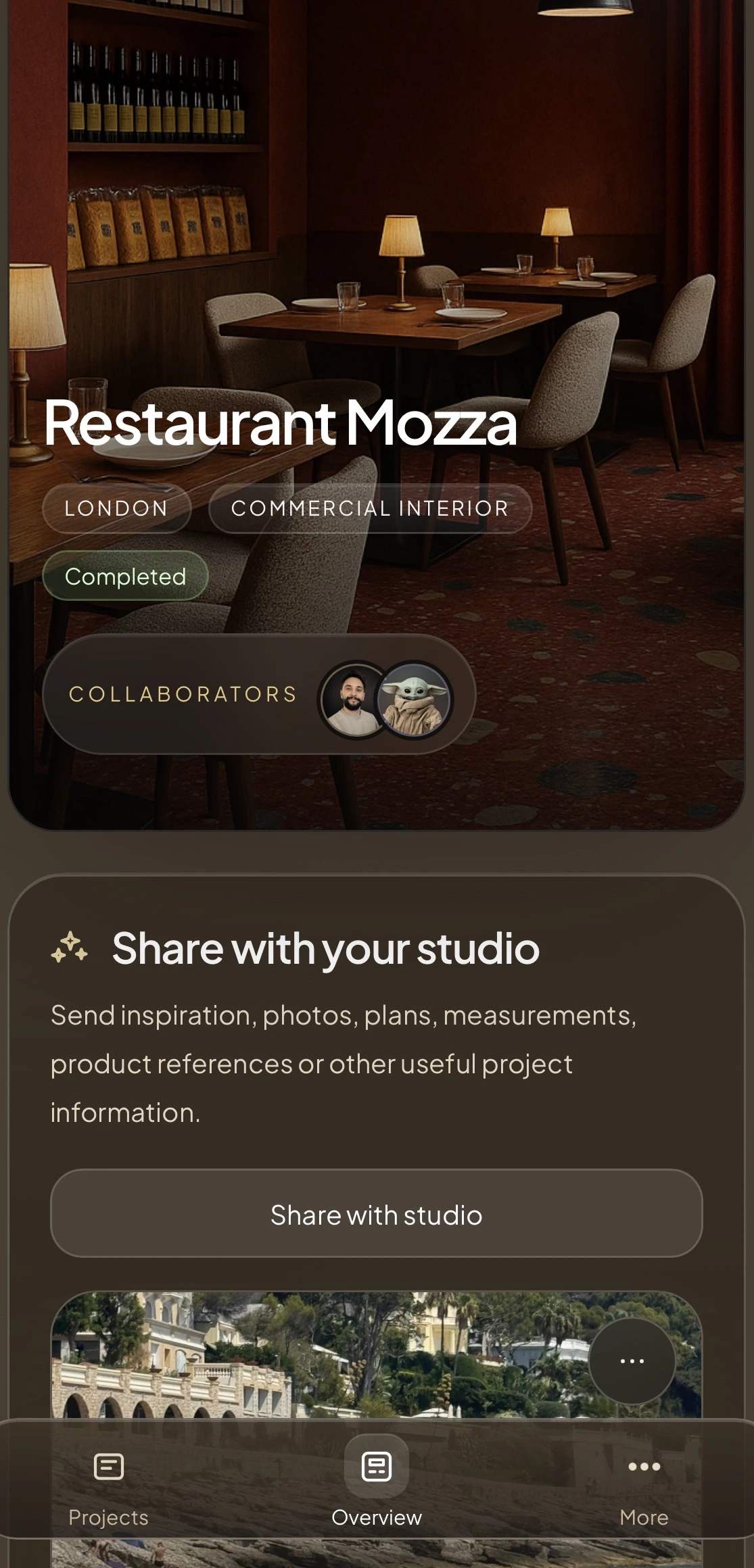
Current DesignerFlow client mobile project overview for Restaurant Mozza
01
Project

Rooms and people set the context.

02
Source

Items become structured project records.

03
Review

Current media and documents stay visible.

04
Deliver

Quotes and client handoffs use live data.

Whole project view

See the work as one project, not eight tools.

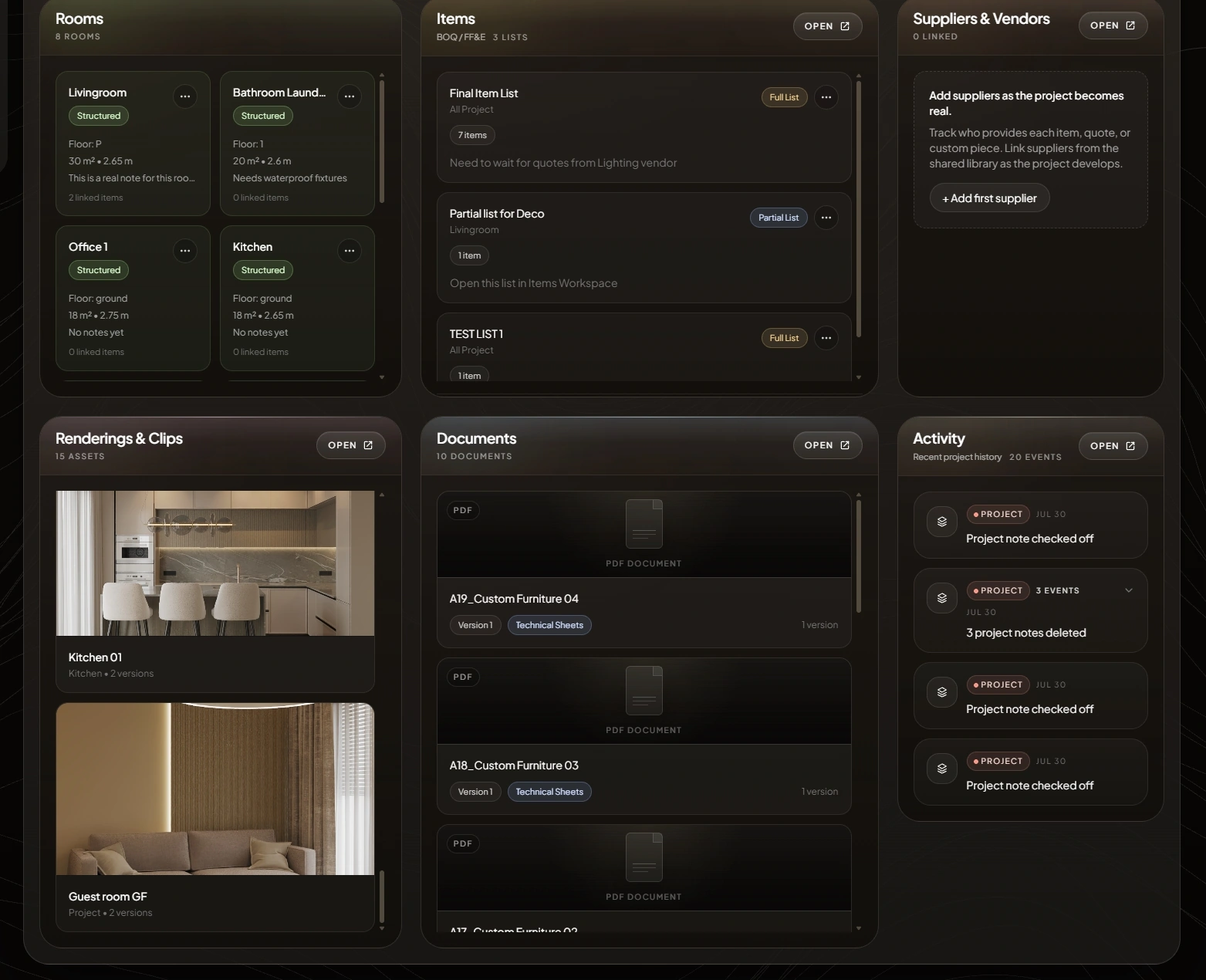
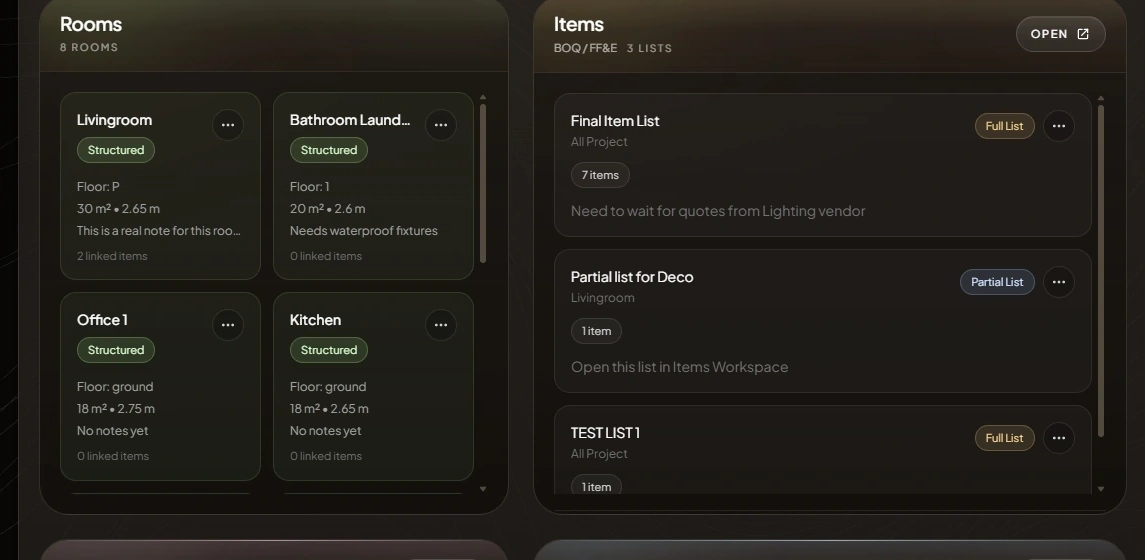
Rooms, lists, documents, renderings, suppliers, and recent activity stay connected to the same project identity and current state.

Current DesignerFlow whole-project operating grid with rooms, lists, suppliers, renderings, documents, and project activityCurrent DesignerFlow whole-project operating grid with rooms, lists, suppliers, renderings, documents, and project activity
One live project
Rooms · Lists · Items · Documents · Media

Open a room, item, visual, or document without losing the project around it.

Client experience

Curated for clients. Connected for the studio.

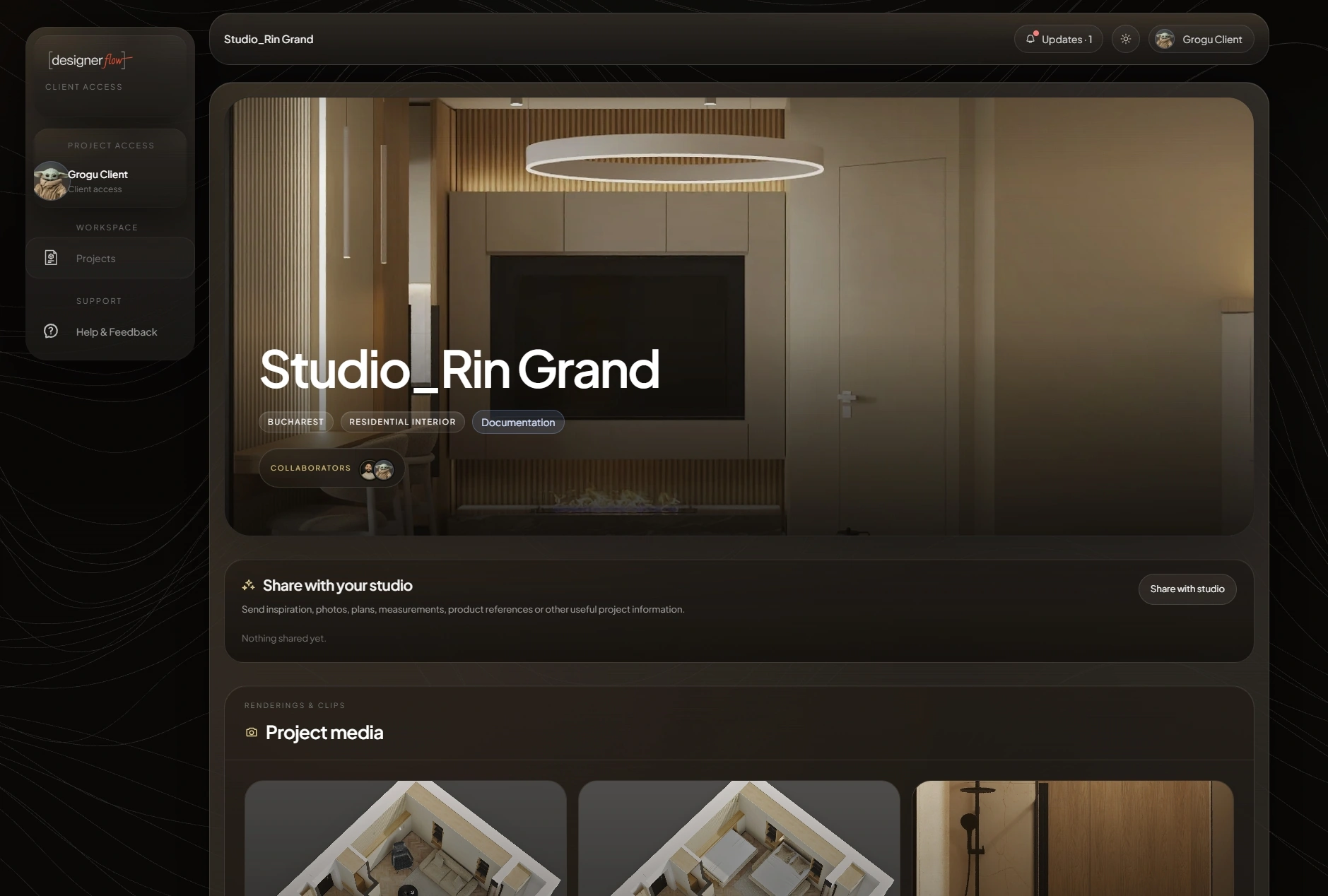
Clients review only what the studio shares: project visuals, product lists, documents, and comments in a calm project workspace.

Client visible

Only the project information the studio publishes.

Current version

Review stays anchored to the valid revision.

Comments

Conversation remains beside the shared asset.

Current DesignerFlow client project overview with curated project identity, shared media, and project access
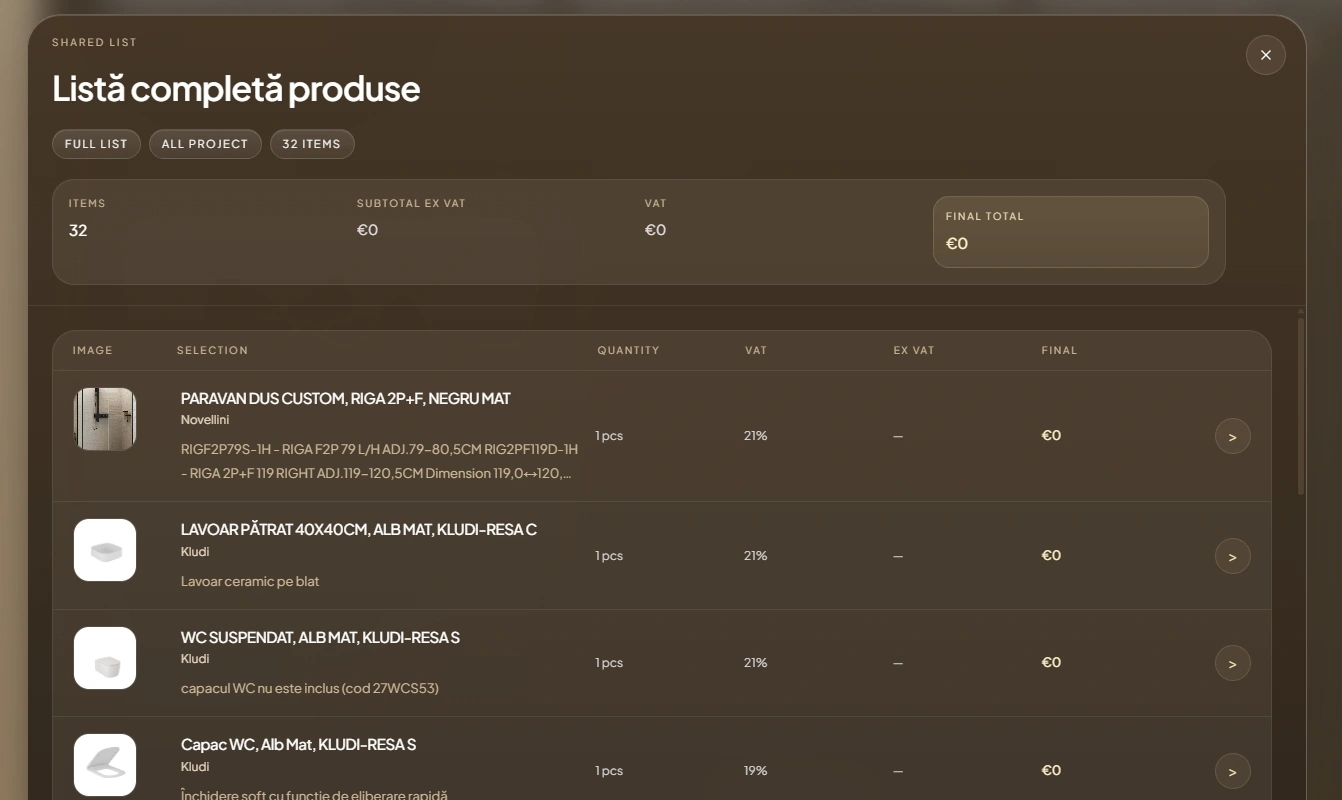
Shared selectionClient-safe totals + items
Current DesignerFlow client shared list with curated item totals and selections
Items and sourcing

From supplier link to project-ready item.

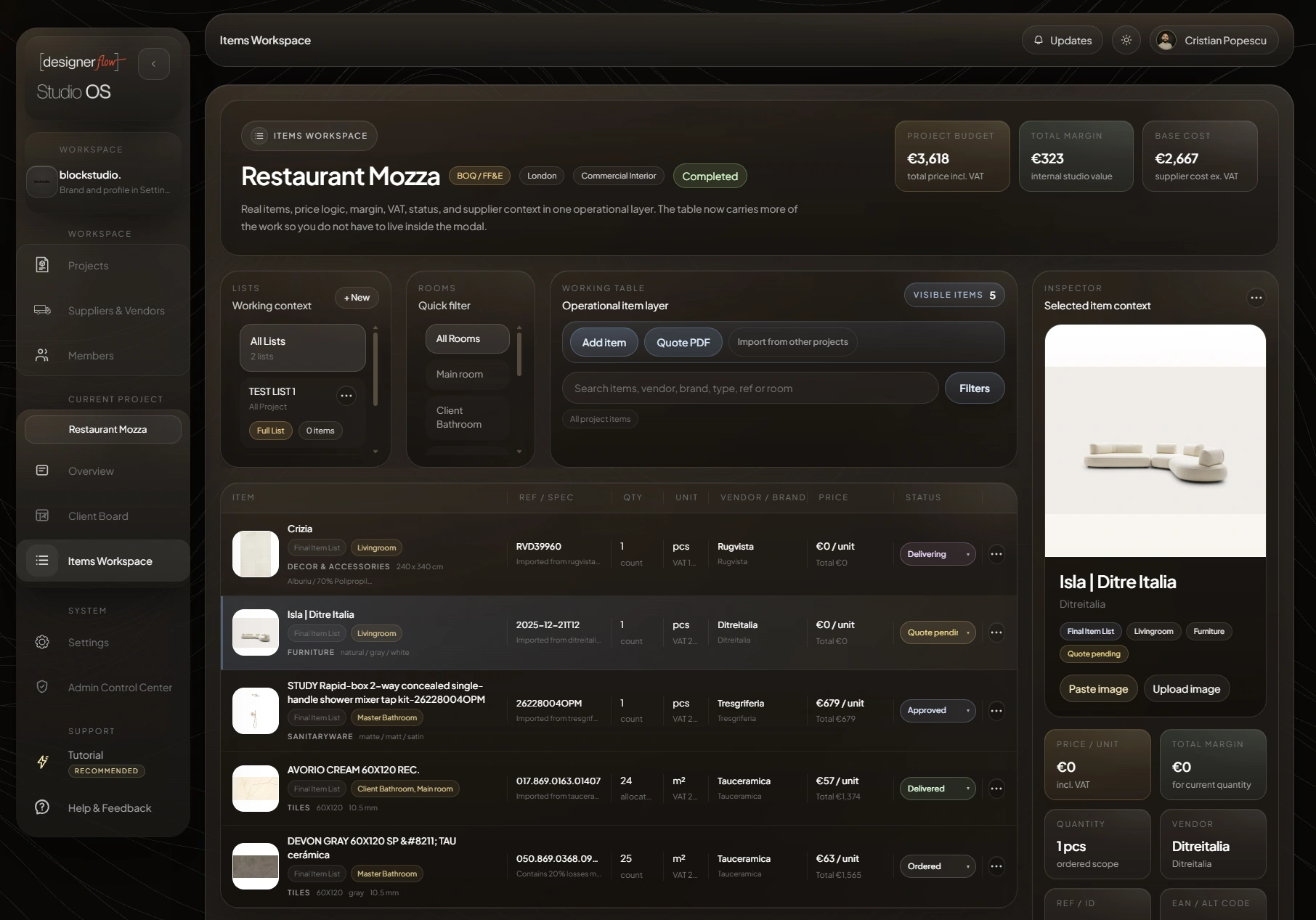
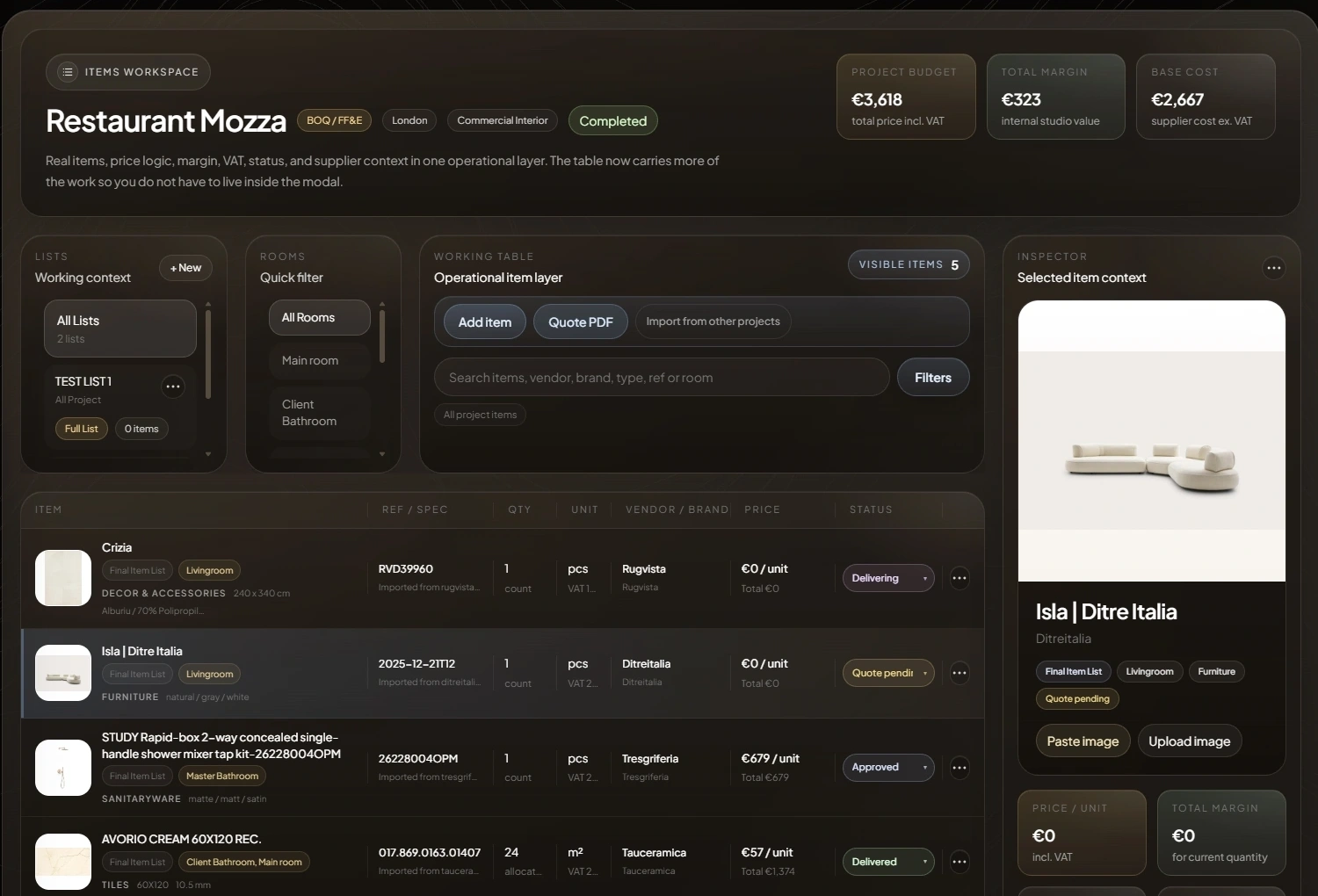
Capture product context once, then keep quantities, VAT, rooms, status, vendor, brand, references, and quote output in one operational workspace.

Current Restaurant Mozza Items Workspace with populated lists, rooms, vendor, brand, references, quantities, pricing, status, totals, and item inspectorCurrent Restaurant Mozza Items Workspace with populated lists, rooms, vendor, brand, references, quantities, pricing, status, totals, and item inspector
Structured sourcing
Vendor · Brand · Ref · Qty · VAT · Status
Autofill

Paste the link. Keep the useful detail.

Product context moves into a structured item through the current deterministic URL Auto-fill path.

tresgriferia.com/study-colors...
Study mixer
STUDY Rapid-box mixer
Ref 262280040PM
Quote PDF

Project data becomes a supplier-ready request.

The current filtered workspace produces a clear branded PDF with quantities, rooms, references, vendors, brands, and source links.
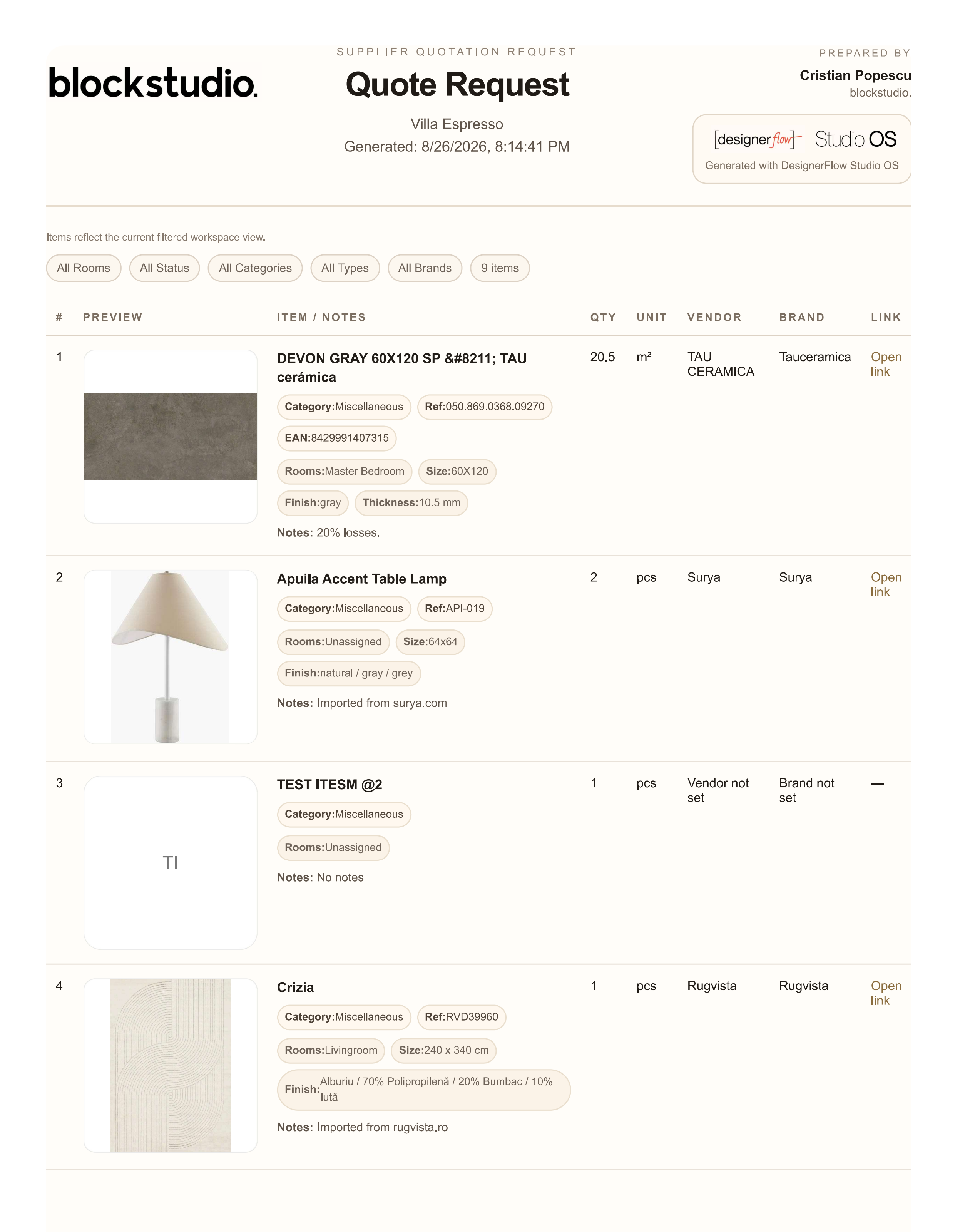
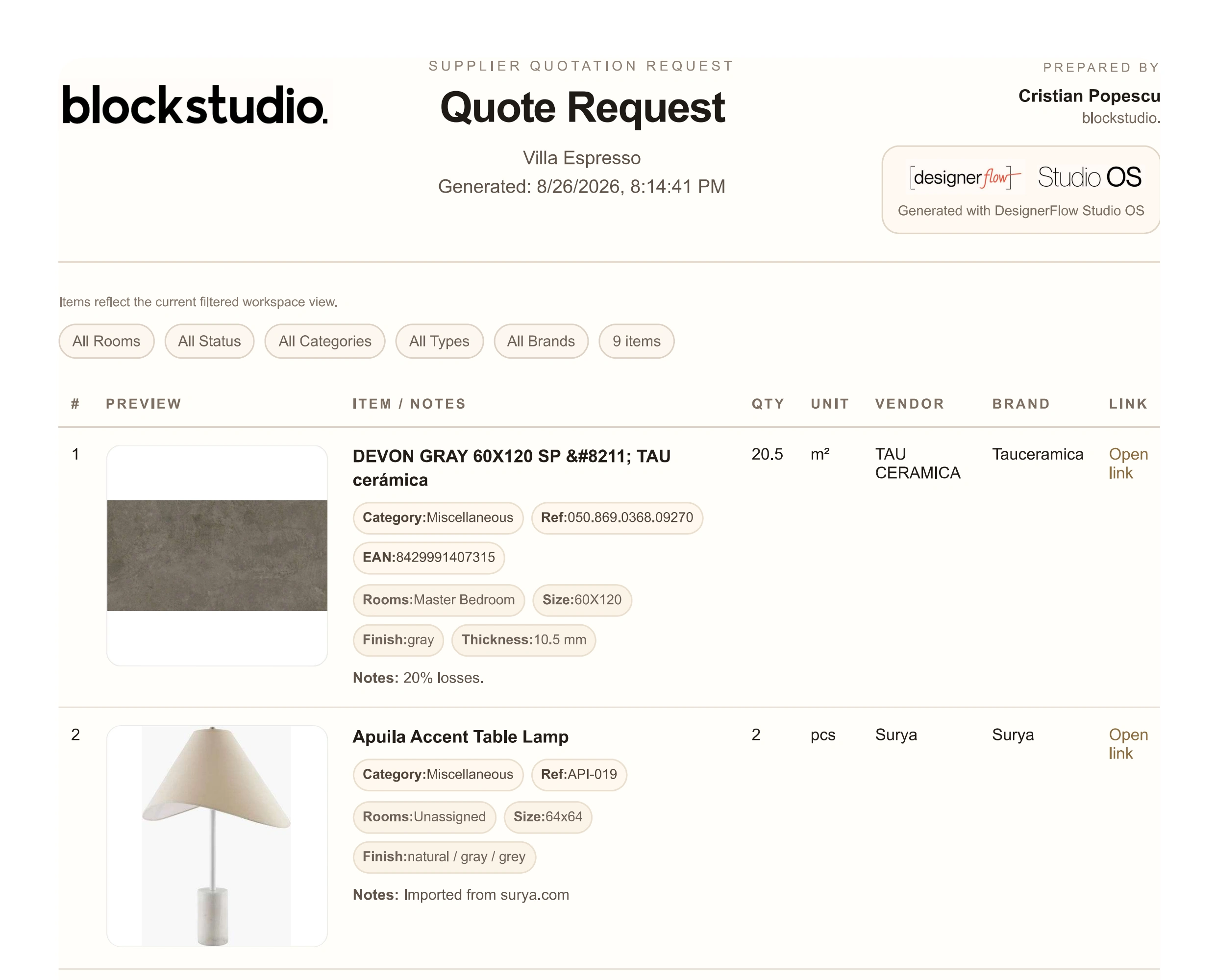
Current DesignerFlow supplier Quote Request with studio branding, generation and filter context, populated item rows, quantities, units, vendors, brands, references, and source linksCurrent DesignerFlow supplier Quote Request with studio branding, generation and filter context, populated item rows, quantities, units, vendors, brands, references, and source links
Renderings and documents

Keep every revision. Make current unmistakable.

Version history remains available while the project, the card, and the client-facing review stay anchored to the valid current version.
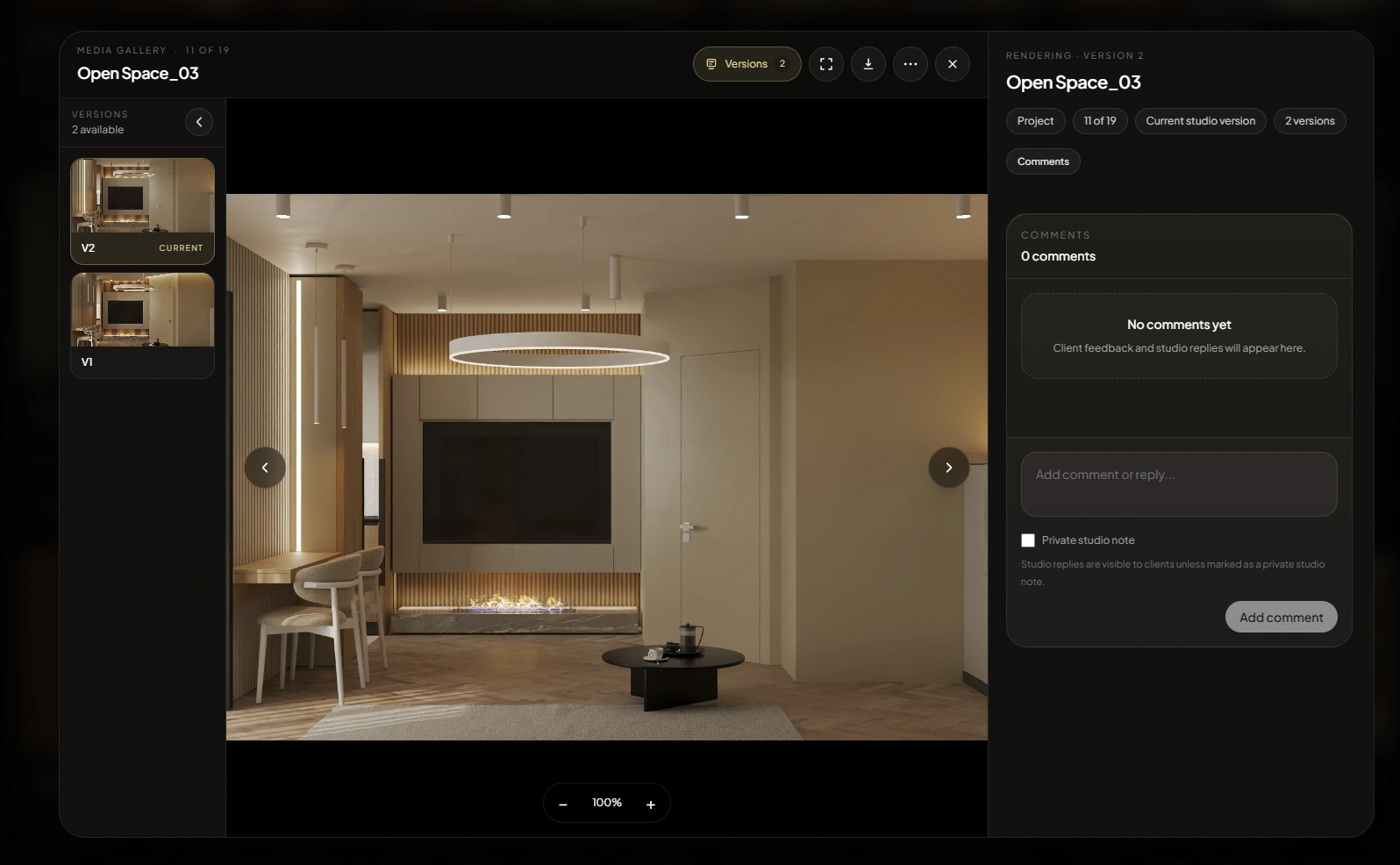
Current DesignerFlow Rendering viewer with a large project visual, V1 and V2 history, current version, and review context
Current version
V2 selected · V1 retained

Review another version without losing which rendering is current.

Documents + comments

Review the drawing beside the conversation.

Technical PDFs, version context, client visibility, and studio-client replies stay in one review surface.
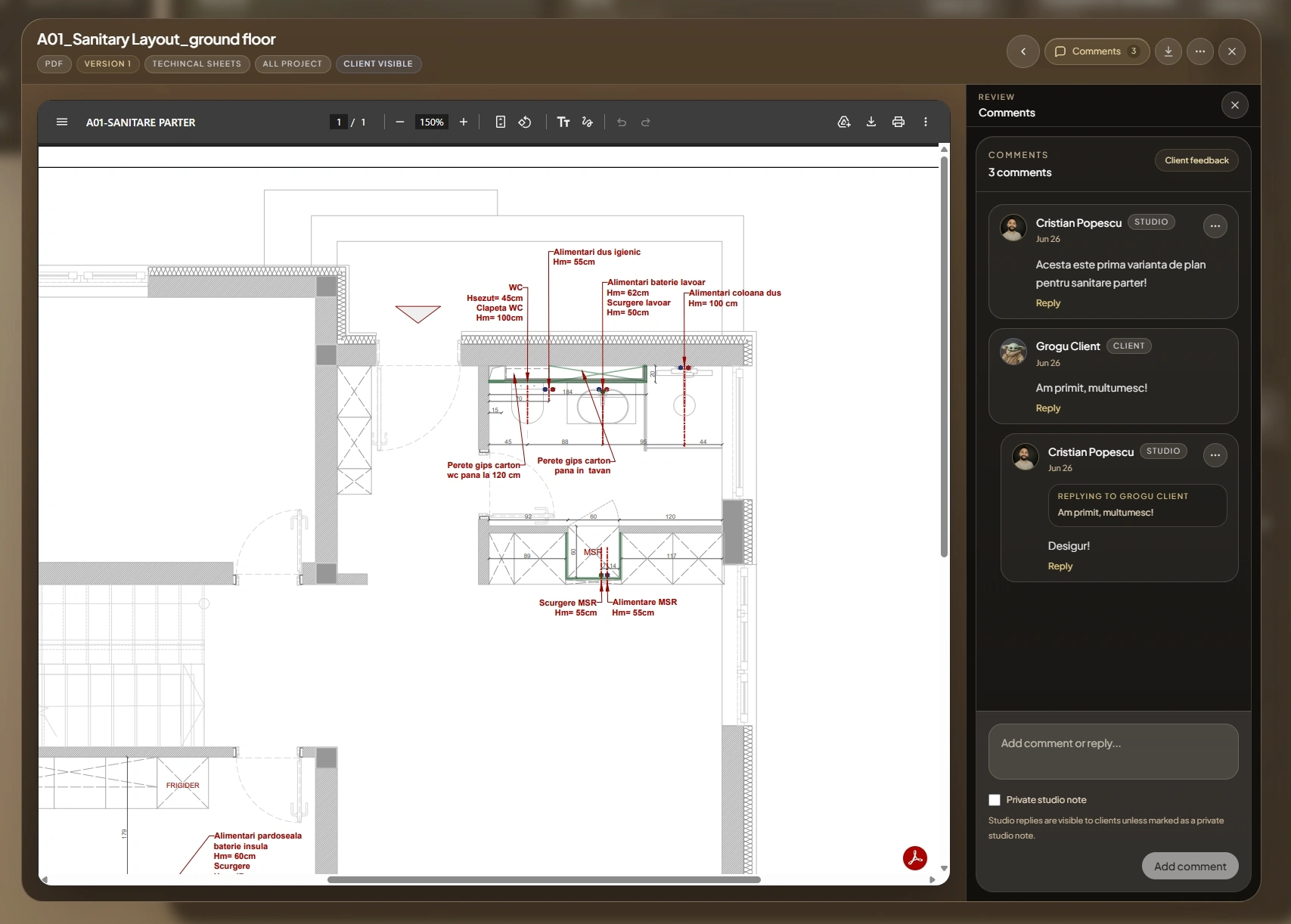
Current DesignerFlow technical PDF viewer with drawing, version context, client visibility, and studio-client comments
Client review
PDF · Version 1 · 3 comments
Supplier memory

Add once. Reuse across projects.

Keep vendors, contacts, categories, and links available to the whole studio instead of one spreadsheet.
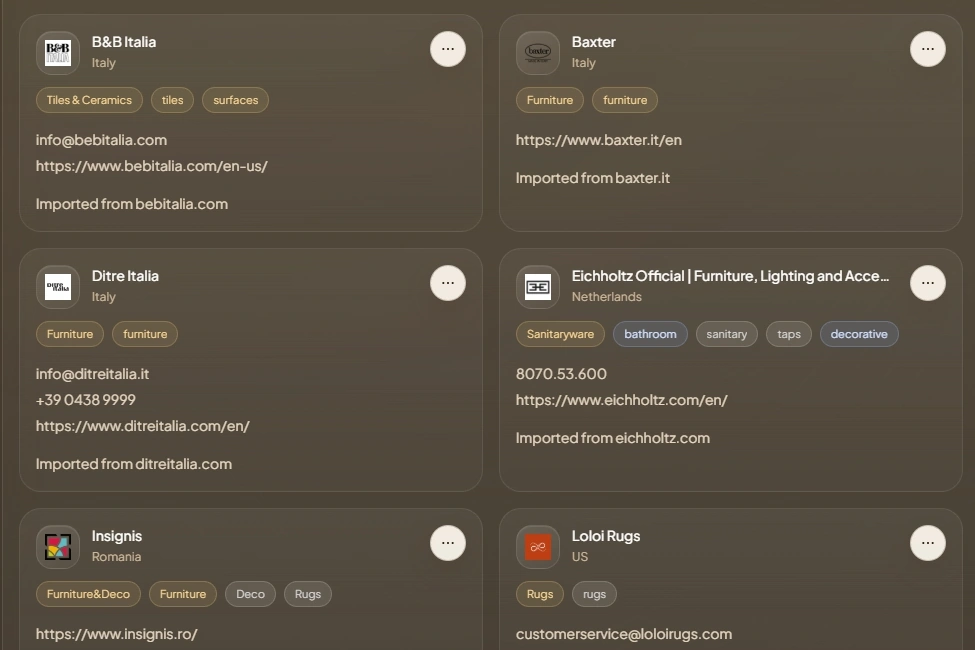
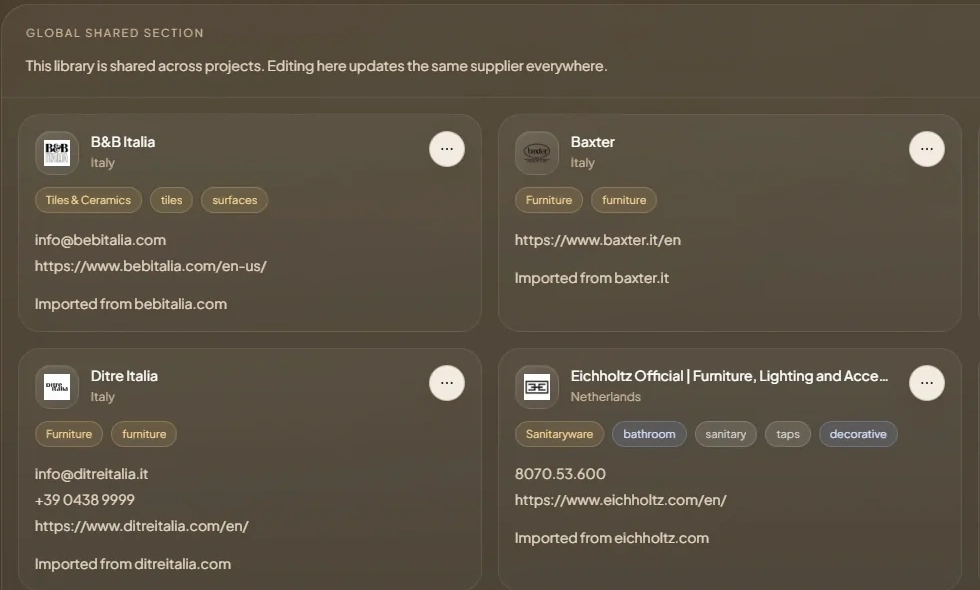
Current DesignerFlow supplier records with logos, categories, contacts, websites, and shared library structureCurrent DesignerFlow supplier records with logos, categories, contacts, websites, and shared library structure
Access control

Keep studio, client, and vendor access clear.

Internal work stays inside the studio while external access remains explicit by project, visibility, and shared list.
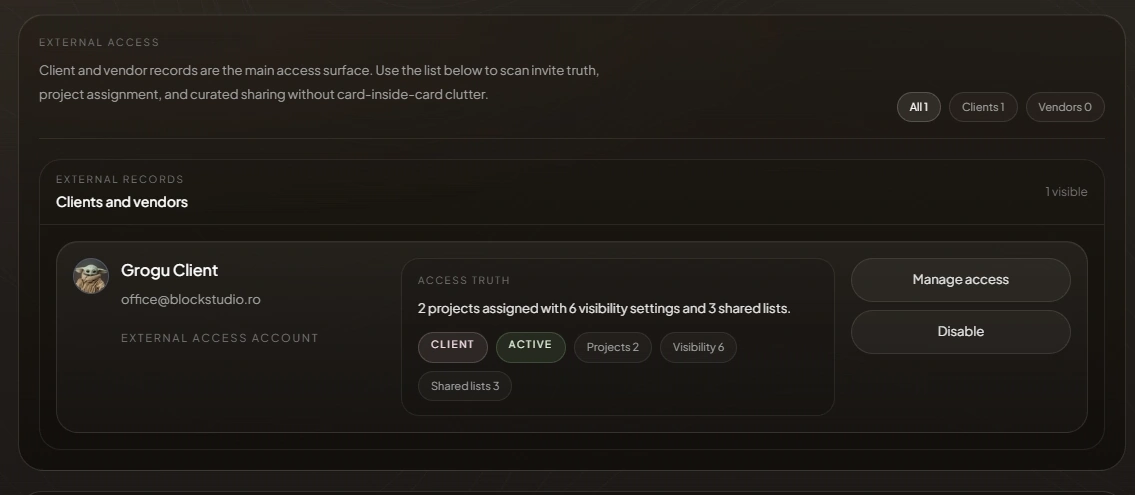
Current DesignerFlow external access controls with client and vendor roles, project visibility, shared lists, and access management
Mobile continuity

The same project, where the work happens.

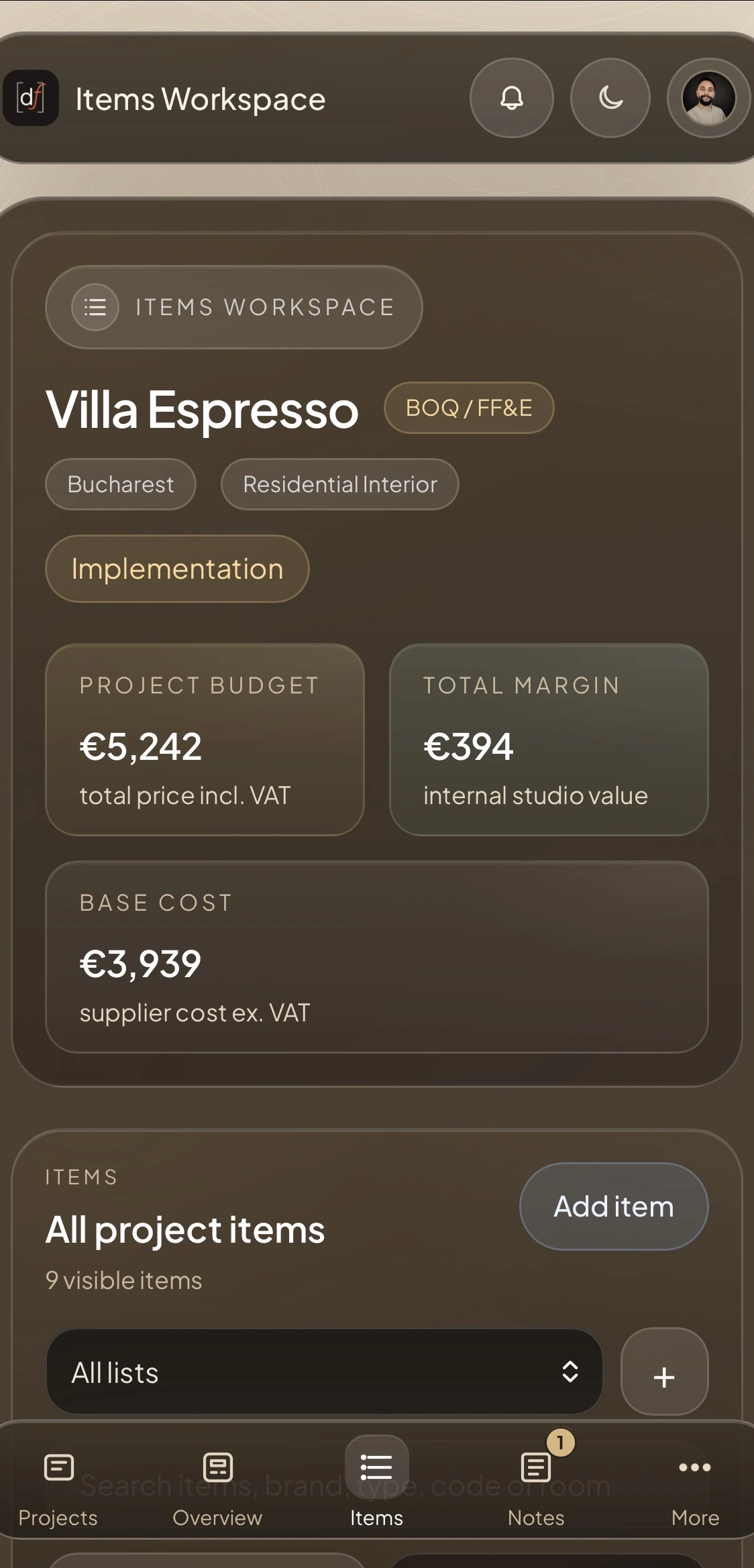
Source on site, check the current visual, open a document, or answer a client comment without falling back to detached files and chat history.
On site
Current project state in your pocket
Current DesignerFlow Studio Items Workspace on mobile with project budget, margin, base cost, and item controls
Studio
Items Workspace · Villa Espresso
Current DesignerFlow client mobile project overview for Restaurant Mozza
Client
Curated project view · Restaurant Mozza
Start with one real project

The workflow stays intact. Capacity grows with you.

Free includes one active project and requires no payment method.

Free
€0
per month · 1 project
Solo
€39
per month · 3 projects
Studio
€89
per month · 10 projects
Multi-designer
€169
per month · 25 projects

Core project workflow included across every plan.

DesignerFlow Studio OS

Give the project one place to be current.

Start with one real project. Bring the rooms, products, suppliers, visuals, documents, and client review together.